

Developers
Real code, and an API around it.
Every app is real React code you can read, edit and take out, and your assistant or your scripts can list, change and publish apps from outside.
What you can reach.
Read all of it
Every app is real React code, and Code, beside Preview at the top of the editor, shows all of it.
Edit by hand
On a paid plan the code is yours to change: type in it, and Auto-save on, in the bar at the foot, means it is kept as you go. The preview follows.
Static files, any host
npm run build writes the finished site into a folder called dist. It is static files, so any static host can serve it.
An MCP server
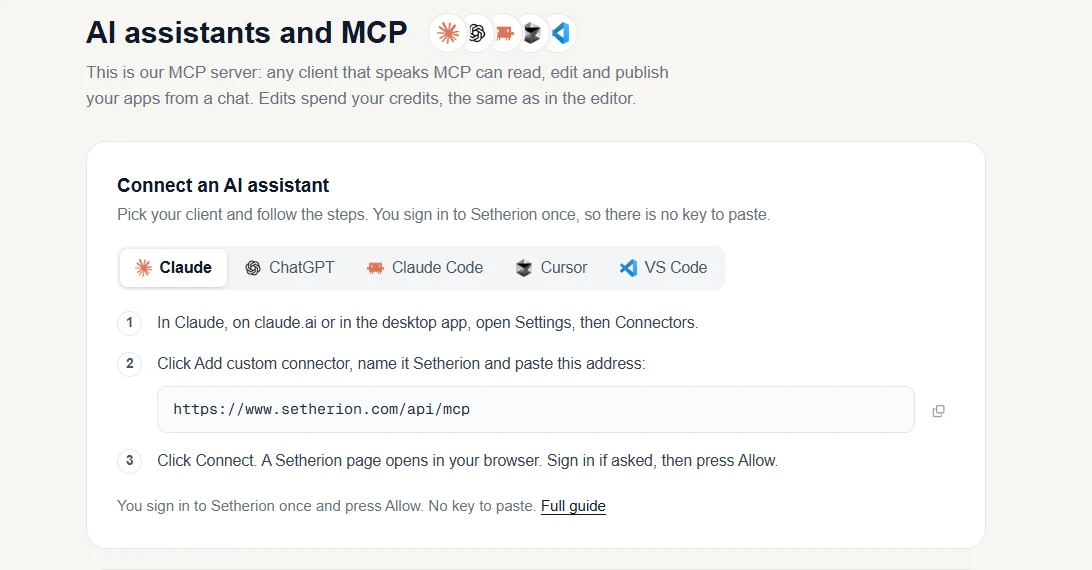
Setherion has an MCP server, the standard way AI assistants use other services.
A web API
The Setherion API works on your apps from a script, a server or an automation.
No key to copy
You sign in to Setherion once and press Allow. There is no key to copy.
Send it to your GitHub.
Export again at any time to update the repository. Each export adds a commit called "Update from Setherion" to the default branch, on top of the history that is there, and writes every file of the project again.
Export, in the documentationAsk from your assistant.
Once it is connected, you can ask your assistant things like
- change the button colour on my coffee shop site
- publish my calculator
What to know before you script it.
On every plan
The API works on every plan, Free included.
Credits as in the editor
An edit spends credits the way it does in the editor
Saved, then published
An edit is saved in your app as soon as it finishes, but it is not online until the app is published.