

Code and export
Your code. Yours to take.
Every app is real React code, and it is yours to take. You never have to open it. It is there for when you want to see how something is made, point at it, or change it yourself.
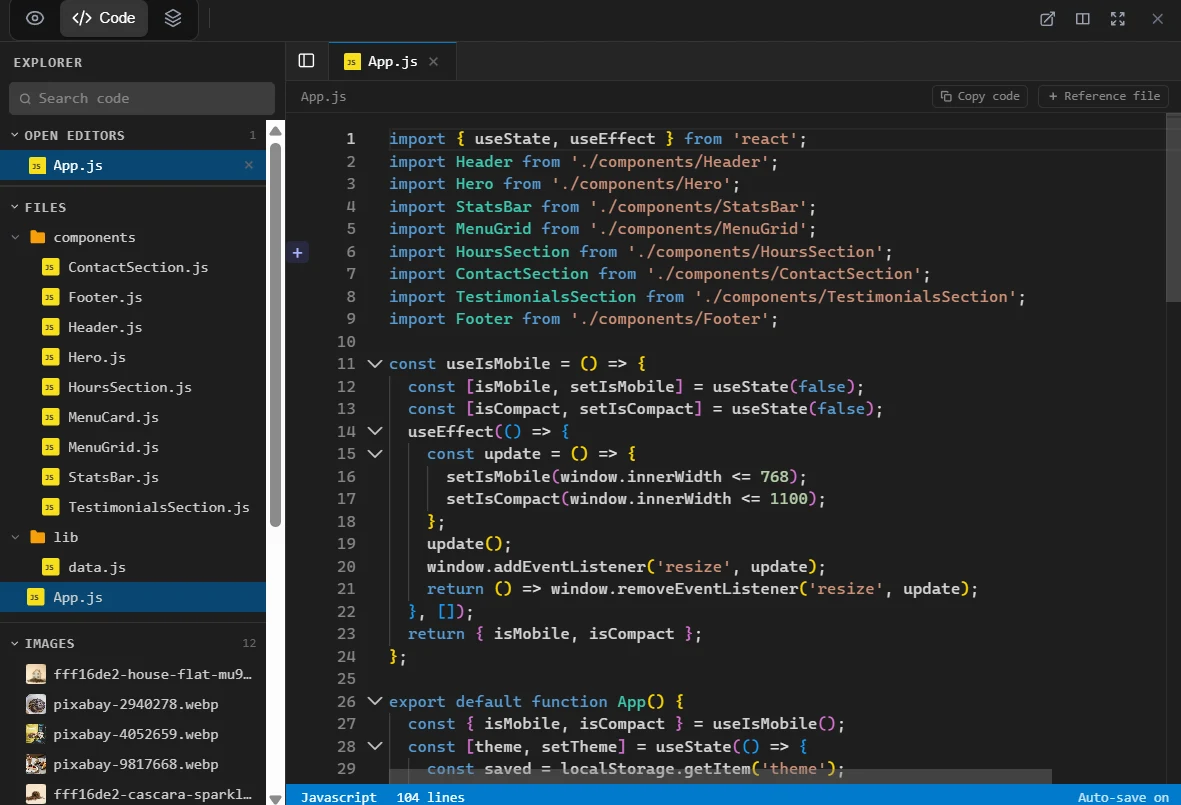
What you can do with it.
Read all of it
Every app is real React code, and Code, beside Preview at the top of the editor, shows all of it.
Point the chat at a file
Reference file, above the code, attaches the whole file to your next message in the chat.
Find an element's line
Switch it on and clicking in the preview no longer does what the app would do: it opens the file that makes the element, at its line.
Edit by hand
On a paid plan the code is yours to change: type in it, and Auto-save on, in the bar at the foot, means it is kept as you go. The preview follows.
Every version kept
Every change to your app is kept as a version, named by what it did. Nothing you asked for is ever lost: if a change made things worse, you can go back to the version before it.
Static files, any host
npm run build writes the finished site into a folder called dist. It is static files, so any static host can serve it.
Send it to your GitHub.
Export again at any time to update the repository. Each export adds a commit called "Update from Setherion" to the default branch, on top of the history that is there, and writes every file of the project again.
Export to GitHub, in the documentationThree ways out.
- 1
Download ZIP
The project as a .zip file
- 2
Export to GitHub
A repository in your GitHub account
- 3
Export to GitLab
A repository in your GitLab.com account
What you take, and what stays.
On the paid plans
Taking the code out is part of every paid plan, Pro and Business.
Your data, on every plan
Your data is different: it can be exported on every plan
What still depends on Setherion
The exported code is the code your published app runs, so it still reaches Setherion for everything that has a server behind it.