
Mobile apps
Made for the phone first.
A bar of tabs at the bottom, screens that fill the phone, buttons a thumb can reach. People add it to their home screen straight from the browser, and you can put it in Google Play and the App Store.
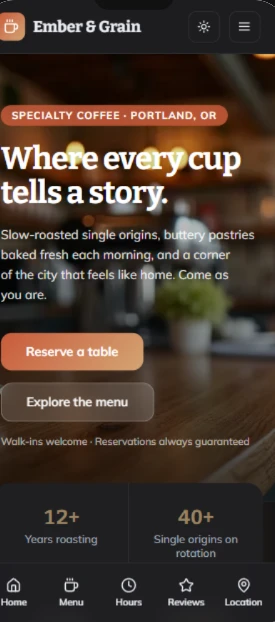
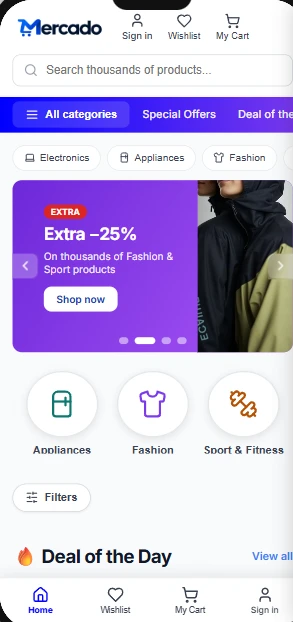
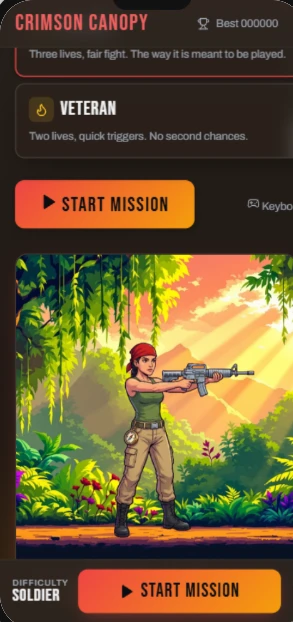
What you get without asking.
A bar of tabs at the bottom
Three to five, each with an icon and a short name, and a bar on top of every screen with its title.
The app itself first
It opens on the first tab, with sample content already in it, never on a welcome page or a sign-in screen.
The main action one tap away
On a tab of its own or on a round + button.
Made for a thumb
Large buttons, cards and lists, panels that slide up from the bottom.
Room for the notch and the home bar
So nothing hides behind them on an iPhone.
A Profile tab
When the app keeps data, people sign in there for real, with Google or with an email and a password, and what they add is saved on Setherion's database.
Two ways to the stores.
Any app you build in Setherion can also become an app people install from Google Play and the App Store. Open it in the editor, press Publish, and choose Publish to app stores.
Publish to app stores in the documentationAsk like this.
Name the tabs you want, or what people do in the app, and the one thing they do most.
- A mobile app for a gym: today's classes, booking a place, my bookings, and a profile with the membership
- A mobile app to track expenses: add an expense in two taps, categories, a monthly chart and a budget for each category
- A mobile app for a bakery: the menu with photos, ordering for pickup, and a loyalty card that counts the coffees
- A mobile app for dog walkers: the day's walks in a list, each dog with its owner's phone and notes, and a button to check in
On your phone.
- 1
While you build
The screen icon above the preview shows the app at phone size. After every build and every change the app is also measured at a phone's width, and when something sticks out a bar says Wider than a phone screen, with Fix with AI.
- 2
On your own phone
Publish it and open its address. Chrome offers Install app, and Safari on an iPhone Add to Home Screen. It then opens full screen, with its own icon, like an installed app.
- 3
In the stores
It goes as a phone app people download from Google Play and the App Store.
Easy or Native.
Easy
Easy is the right answer for most apps.
Native
Choose Native when the app shows ads or sells something inside it, or when a developer will look after the phone app.
The stores' own accounts
The stores charge for their own accounts, not Setherion.